True GIF89a Transparency & Die-Cut Outlines
Automatically detect corner background colors, reserve a clean transparent palette index, set disposal=2 so frames never ghost, and add crisp white sticker borders for dark-mode chats.
 GifQuill
AI GIF & Sticker Workflows
Text to GIF GeneratorImage to GIF MakerTransparent GIF MakerAI Sticker MakerMulti-Frame Grid GIFAnime GIF MakerMeme GIF GeneratorAI Face ExpressionCreate seamless looping GIFs, cut 3×3 & 4×4 multi-frame sprite sheets, strip solid backgrounds into transparent Discord & Slack stickers, and fine-tune every frame locally in your browser—fast, private, and watermark-free.
Every sample below is a genuine animated GIF89a loop optimized with local median-cut palettes and clean frame disposal.
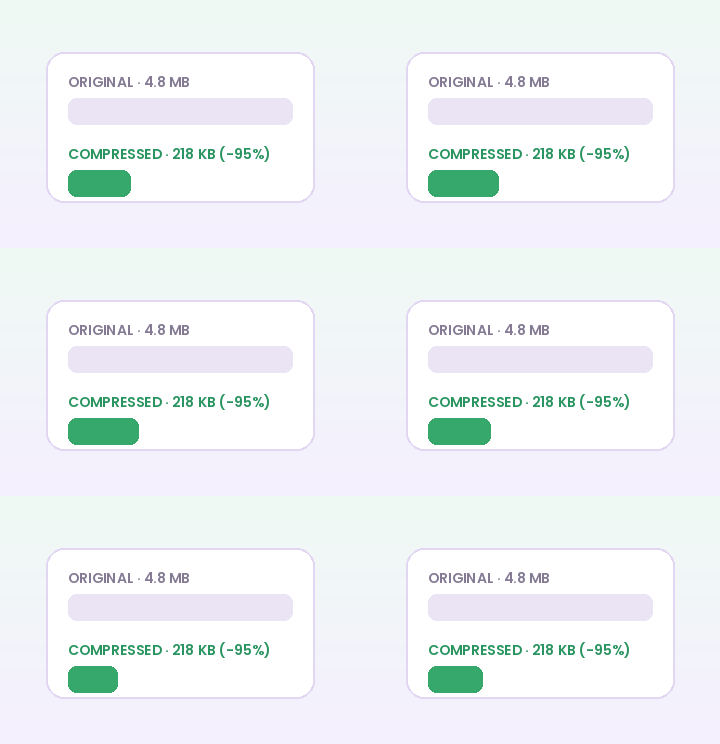
Dedicated workspaces for looping character animations, transparent background keying, multi-frame sprite grids, and captioned reaction memes.
Plan looping text-to-GIF prompts, test multi-frame sprite sheets in your browser, and prepare crisp reaction GIFs for Discord, Slack, and social chats.
AI & Sticker WorkflowAnimate a single photo with bounce, wave, zoom, or shake loops, or combine up to 20 images into an animated GIF slideshow directly in your browser.
AI & Sticker WorkflowRemove solid white, green, or custom backgrounds from GIFs and images in your browser. Export clean transparent GIF89a loops with optional sticker stroke.
AI & Sticker WorkflowCreate animated transparent stickers with white die-cut borders, cyclic bounce or wave motion, and Discord/Slack-friendly file sizes in your browser.
AI & Sticker WorkflowCopy tested 3×3 and 4×4 multi-frame sprite prompts, then slice character grids into transparent looping GIFs in your browser.
AI & Sticker WorkflowAnimate illustrated anime characters, winks, waves, and cel-shaded reaction loops. Explore anime prompt templates and browser motion & sprite tools.
AI & Sticker WorkflowCreate captioned meme GIFs from any image or animated GIF in your browser. Add bold outlined top and bottom text plus shake, zoom, or bounce motion.
AI & Sticker WorkflowPlan portrait reaction GIFs—wink, laugh, surprise, nod, and thumbs-up—with expression presets, consent guidelines, and browser frame tools.
Most online converters upload private media to slow server queues or stamp logos across your punchline. GifQuill is engineered specifically around the GIF89a format.
Automatically detect corner background colors, reserve a clean transparent palette index, set disposal=2 so frames never ghost, and add crisp white sticker borders for dark-mode chats.
Turn 2×2, 3×3, and 4×4 multi-frame character sheets into rock-steady animated GIFs with consistent proportions, adjustable cell trim padding, and custom FPS pacing.
All browser animation, video-to-GIF sampling, palette compression, cropping, and ZIP frame extraction run locally on your CPU—keeping unreleased product clips and personal photos private.
Finish your workflow in one place—convert MP4 clips, shrink megabytes down to Discord caps, crop, caption, reverse, or unpack PNG frames.
Convert MP4, WebM, and MOV clips into smooth looping GIFs right in your browser. Trim start time, clip duration, output width, and FPS with no watermark.
100% Free Browser ToolShrink animated GIF file size in your browser with Discord (<256 KB), Balanced, and Max compression presets. Tune palette colors, scale, and frame step.
100% Free Browser ToolAdd crisp top, center, or bottom text captions to every frame of an animated GIF in your browser. Customize font size, color, and high-contrast outline.
100% Free Browser ToolCrop animated GIFs across all frames in your browser. Use 1:1 square, 16:9 widescreen, 9:16 vertical, or custom percentage coordinates with live preview.
100% Free Browser ToolPlay any animated GIF backward or turn abrupt clips into smooth forward-and-back boomerang (ping-pong) loops locally in your browser.
100% Free Browser ToolAdjust animated GIF playback speed from 0.25x slow motion to 4x fast-forward in your browser, with optional reverse or ping-pong loop direction.
100% Free Browser ToolTrim unwanted intro or outro frames from any animated GIF using exact 1-based inclusive start and end frame numbers directly in your browser.
100% Free Browser ToolExtract every frame (or every Nth frame) of an animated GIF as full RGBA PNG images plus a timing.json metadata file packaged in a single ZIP archive.
100% Free Browser ToolConvert animated GIFs into smooth, lightweight MP4 or WebM video files in your browser with custom background fill for transparent GIFs.
Matching pixel geometry, frame rate, and palette size to your destination platform prevents blurry server re-compression, black transparency fringes, and rejected uploads across chat apps and documentation tools:
| Destination Platform | Ideal Dimensions | Recommended FPS | Palette & Size Target |
|---|---|---|---|
| Discord Custom Animated Emoji | 128×128 or 160×160 px (1:1) | 10–12 FPS | 96–128 colors · Under 256 KB |
| Discord & Slack Chat Stickers | 320×320 px (1:1 transparent) | 10–15 FPS | 128–192 colors · Under 500 KB |
| GitHub Pull Requests & Docs | 480–640 px wide (16:9 / 4:3) | 8–12 FPS | 128 colors · Under 2 MB |
| Social Reaction Memes & Replies | 360–480 px square or 4:5 | 12–15 FPS | 192–256 colors · Under 1.5 MB |
| Email Newsletters & Changelogs | 480–600 px wide | 8–10 FPS | 96–128 colors · Under 800 KB |
Every export created on GifQuill uses standard compliant GIF89a Netscape 2.0 infinite looping blocks, local median-cut quantization, and zero corner watermarks so files play immediately in desktop browsers, iOS, Android, Slack, Discord, Notion, and GitHub.
Right inside your browser today, you can animate still characters and photos with cyclic bounce, wave, shake, or zoom loops, slice 2×2, 3×3, and 4×4 multi-frame sprite sheets into looping GIFs, key out solid backgrounds into transparent die-cut stickers, convert MP4/WebM clips to GIF, and compress, crop, caption, reverse, split, or extract frames with zero watermarks.
Yes. Every browser GIF editor, transparent background remover, photo motion preset, and sprite-sheet slicer runs locally using HTML5 Canvas and our client-side GIF89a encoder—your source images and videos are never uploaded to external servers.
Export at 160×160 or 320×320 pixels at 10–12 FPS, or open our online GIF Compressor and click the Discord <256 KB preset to apply 96-color median-cut quantization in one step.
Ghost trails happen when an encoder forgets to set GIF89a frame disposal method 2 (Restore to Background). GifQuill automatically sets disposal=2 and reserves a dedicated transparent palette index on every transparent GIF export.
Never. All browser GIF creations and edits on GifQuill are 100% free, require no account, and never stamp watermarks on your animations.